Thursday, June 12, 2014

To Okinawa

It's 06:20, and I'm scrambling madly to pack my stuff before I leave for Okinawa and OIST. I'll stay there for a month of project work and tutoring at the OCNC summer course. I've yet to finish my post on Saigon, but here's one picture just to fill out this rushed post:

Neighbourhood Sidewalk
Kids lounging on a sidewalk outside a row of homes. The scene felt lazy, slow and relaxed. Exactly how I don't feel right at this moment.

Tuesday, June 3, 2014

Setting Up My New Home Server


This post contains a substantial amount of geekery; you have been warned.

As I've written previously, I'm using my own server for reading feeds using Tiny Tiny RSS. I also set up file sharing and synchronization between my computers using Owncloud(1). I started last year by installing Ubuntu in a virtual machine on my seven years-old desktop. Canvas, our internet provider, offers a fixed public IP address for a moderate fee, and that lets me access the server from anywhere.

At first I just used the server for tt-rss and copying files between computers. But now I use it for all kinds of stuff. For instance, the Owncloud Android app automatically copies pictures I take with my phone directly to my server. I use the server to synchronize all the research papers I have in Zotero. I'm moving my Git repositories to it. And I can run octave, R, Python and so on on my tablet from anywhere using SSH.

I plan to move my calendar to it and to make a small website as well. I now depend on this server every day, and it's clear that I can't keep using my old desktop for this any longer. It's old and unreliable. It's also big, noisy and uses a lot of power. I need a dedicated machine.


Last month I got a Intel NUC DN2820FYK, a very small form-factor, low power machine. It's small, around 12cm square and about 5cm high, and draws only around 10W. You need to add memory and a hard drive yourself, but that was commendably easy; if you can use a screwdriver you can certainly add the parts you need. I added 8GB memory(2) but chose a slow 5400rpm notebook hard disk. It's cheaper and quieter than faster disks, and the machine will mostly be limited by network speed anyway.

After a quick BIOS update(3) I installed Ubuntu Server 14.04. It installs without any trouble. Full-disk encryption is now available by default, but I skipped that; encryption makes sense on a laptop that you might lose or have stolen, but this server will sit quietly at home. Nobody is going to have direct access to the machine so encryption doesn't feel very necessary.


The Intel NUC sitting atop my old desktop. The NUC is faster, has more memory and larger storage. It also has bluetooth and wifi; it's tiny in comparison to the old machine and almost completely silent. I'm still using the old machine for my film scanner, though.  

It's pretty straightforward to install tt-rss and Owncloud on Ubuntu, but there are a few wrinkles to the process so I thought I'd post it here. Any line that starts with "$" below is a command to run on the command line(4).

Both Owncloud and tt-rss need a database and a web server. I choose to install Postgres and Lighttp. Postgres is mature, stable and efficient. Lighttpd is, as its name implies, a lot more lightweight than Apache, and is commendably straightforward to configure and maintain.

First install the database and web server, along with php and a couple of useful tools:

    $ sudo apt-get install lighttpd php5-cgi php5-curl php5-gd php5-pgsql postgresql openssl bzip2 wget


Owncloud is available in the Ubuntu repository but it's an older version. Better to use the Owncloud official packages. We add the repository and get the key:

    $ sudo sh -c "echo 'deb http://download.opensuse.org/repositories/isv:/Owncloud:/community/xUbuntu_14.04/ /' >> /etc/apt/sources.list.d/owncloud.list"
    $ wget http://download.opensuse.org/repositories/isv:Owncloud:community/xUbuntu_14.04/Release.key
    $ sudo apt-key add - < Release.key


The newest version of Tiny Tiny RSS is also available in a separate repository:

    $ sudo add-apt-repository ppa:webupd8team/tt-rss
    $ sudo apt-get update


Owncloud

Install the package:

    $ sudo apt-get install owncloud

You may want to increase the maximum upload sizes for scripts in /etc/php5/cgi/php.ini. Set something like

    upload_max_filesize = 20M
    max_file_uploads = 50 
    post_max_size = 20M

Set up Postgres. First, run the postgres client psql as user postgres:

    $ sudo -u postgres psql postgres

Use the \password postgres command to set a new password for the user. Create an "owncloud" database user (write down the password!) and create the database:

    $ sudo -u postgres createuser --no-createdb --pwprompt --no-superuser --no-createrole owncloud_user
    $ sudo -u postgres createdb --owner=owncloud_user --template=template0 --encoding='UNICODE' owncloud_db
    $ sudo -u postgres psql --command='GRANT ALL PRIVILEGES ON DATABASE owncloud_db TO owncloud_user;'


Set up lighttpd to serve the Owncloud app. Owncloud is already installed under /var/www/owncloud. We want to make sure people can't access the underlying data directly. Edit /etc/lighttpd/lighttpd.conf, and add:

    $HTTP["url"] =~ "^/owncloud/data/" { url.access-deny = ("") }
    $HTTP["url"] =~ "^/owncloud($|/)" { dir-listing.activate = "disable" }


Enable a couple of web server modules:

    $ sudo lighty-enable-mod fastcgi fastcgi-php
    $ sudo service lighttpd restart

Set up cron (that's a scheduling service) to periodically run various Owncloud housekeeping tasks:

    $ crontab -u www-data -e 

and add this line (it tells cron to run the "cron.php" script every 15 minutes):

    */15  *  *  *  * /usr/bin/php -f /var/www/owncloud/cron.php


This should give you a basic installation already. But we want to make things a little more secure. We'll access tt-rss and serve our files with an encrypted connection using https rather than http. We'll need an SSL certificate and prevent access to Owncloud from ordinary http connections. We're not setting up a public service so we can sign the certificate ourselves. We'll do this as root.

    $ sudo bash
    $ mkdir -p /etc/lighttpd/certs
    $ cd /etc/lighttpd/certs
    $ openssl req -new -x509 -keyout lighttpd.pem -out lighttpd.pem -days 1095 -nodes


Fill in nonsense info or leave blank; it doesn't much matter since we're not going to have a public certificate. Change permissions:

    $ chmod 400 lighttpd.pem

Edit /var/www/owncloud/config/config.php and add to trusted_domains:

    'trusted_domains' => 
 array ('[your public URL, if any]', '[your ip address]'),


and set

    'forcessl' => true,

Edit /etc/lighttpd/lighttpd.conf again, and add:

    $SERVER["socket"] == ":443" {
 ssl.engine = "enable"
 ssl.pemfile = "/etc/lighttpd/certs/lighttpd.pem"

 ssl.use-sslv2 = "disable"
 ssl.cipher-list = "TLSv1+HIGH !SSLv2 RC4+MEDIUM !aNULL !eNULL !3DES @STRENGTH"
    }


That should do it. Now you should be able to access Owncloud using https://yourserver/owncloud but not using http://yoursever/owncloud. When you first create your user, be sure to mark the "advanced" check box and choose Postgres as your database.


Tiny Tiny RSS

tt-rss is really easy to set up, but we need to fix one problem with database access. First, install tt-rss:

    $ sudo apt-get install tt-rss

The installation will ask you a few questions about things like your database and webserver. The setup will partially fail, and the reason is that Postgres by default won't give access to tt-rss. Edit /etc/postgresql/9.3/main/pg_hba.conf and look for a line that looks like this:

    # "local" is for Unix domain socket connections only
    local   all             all                 peer


Change "peer" to "md5" and you're done. Restart the database with sudo service postgresql restart

We want tt-rss to refresh the feed list automatically. Edit /etc/default/tt-rss and change the "disabled" parameter:

    set "DISABLED=0"

Then start the update service:

    $ sudo service tt-rss start


Finally, we want to force tt-rss to use SSL encryption. Add the following to /etc/lighttpd/lighttpd.conf:

    $HTTP["scheme"] == "http" {
 $HTTP["host"] =~ ".*" {
     url.redirect = ("^/tt-rss/.*" => "https://%0$0")
 }
    }


It basically says that if someone tries to access the server with http, for any host name, and if the URL contains "tt-rss", then redirect the request to an encrypted https connection instead.


This setup works admirably so far. The machine itself takes up no space, and it's so quiet I can't hear it even when sitting right next to it. Tiny Tiny RSS has worked just fine ever since I started using it almost a year ago, and Owncloud seems to be reliable and fast.

The Owncloud client is still basic and lacks some needed features — you can't easily exclude a particular folder on the server from synchronization for instance — but it uses the standard WebDAV protocol so you can use any client, your browser or even the file manager to access files on your server. Owncloud is a smooth, mostly painless way to have my stuff accessible from anywhere, and the Intel NUC is a good little machine to run it.


#1 It's similar to, say, Dropbox or Google Drive. But my data is not moved across continents and to different legal jurisdictions whenever I copy something, and I have control over the server where the data sits. I am responsible for keeping the server up and running; on the other hand, I won't get caught flat-footed when an online service is suddenly shut down.

#2 You can never be too rich, too beautiful or have too much memory.

#3 Put the recovery BIOS FY0032.BIO from here onto a USB stick then reboot into the BIOS setup. In the BIOS update function, select the file on the stick. Easy.

#4 This is a server without a screen or keyboard so I log in remotely and use the command line. But if you want, you can of course start a desktop and use the graphical tools to set things up.


Wednesday, May 28, 2014

Summer!

Ahh, early summer! The daytime temperature is reaching the 30's now, and even the mornings are getting too warm for comfort. Time to start bringing an extra t-shirt to work, to fill the thermos with ice tea, pack ear plugs for noisy fans and air conditioners, and look forward to a few months of everybody complaining about the heat.

And once again, like every year, the packed-to-the-gills Kobe Port Liner air is infused with the makeup and toiletries of overly enthusiastic university students; mixed with the delicate fragrance of Eau de Salaryman (a distinctive blend of unwashed suits, stale cigarette smoke and hangovers); and combined with the stale air of a hundred sweating passengers to produce a truly unique and evocative aroma. What it mostly evokes, of course, is an intense wish for you to be somewhere else.

And I will be. This summer I will be a tutor at the OCNC summer course in Okinawa. It's held at OIST, my home institution, so I'll spend some extra time before the course working on our project. In all I'll be away in Okinawa for over a month. The summer school takes a lot of time (it's 24 hours a day for the whole three weeks) and I need to keep up my regular work, but I'm sure there will be some occasional opportunities to enjoy the balmy Okinawan seas. I might accidentally pack snorkel, mask and fins along for the trip, and I'll make sure I act very surprised when I find out. ^_^


Thursday, May 8, 2014

Lenovo X240S, and Ubuntu 14.04

I got a new work laptop this week, a small and light Lenovo X240S. It's one of their "ultrabook" machines, where weight and size is more important than performance. A lighter, smaller and newer sibling to my own T430, more or less.

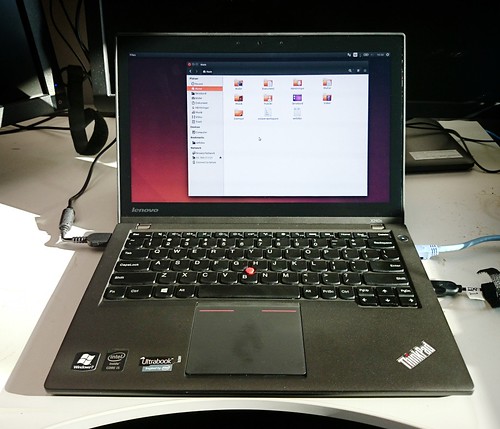
Lenovo X240S
Lenovo X240S. I'm a bit short on time so it's a quick shot with my Xperia Z1, taken at my non-too-clean desk.

It's got 8Gb memory and an 128Gb SSD drive. The Intel CPU and graphics are fairly low-end; a fair bit slower than the T430, despite being two years newer, though I don't notice any speed difference in normal use. The matte 12" touchscreen is low resolution at 1366x768 but it renders colour better than my own laptop. There's a touchpad, a keyboard nipple, and the usual ports.

I installed Ubuntu 14.04, and every single thing works flawlessly. The touchscreen, the special keys and the lid camera work right out of the box, and it found our office printer without any trouble. With the lone exception of my oddball keyboard layout, I could pretty much install, restart and be on my way.

Just about all tweaks and fixes I used to do in Ubuntu are unnecessary by now. It's so polished that I really don't need to do anything. Of course I still need to install a bunch of apps and move data over; that's going to take weeks or months as I gradually find out what I need on this machine.

The keyboard is a bit cramped, and retains the dumb layout with a too-easy-to-hit print screen button to the right of the space bar. I wish they'd kept the larger Enter key too. But the feel is good and the keyboard works well overall.

The touchpad is a major regression. It's much larger than on the T430, so you easily touch it by mistake, and it lacks separate hardware buttons. Instead the touchpad surface itself buckles as you press it. But when you do, the pointer inevitably moves, and often moves right out of the area you aimed at. It seems to emulate two buttons on the bottom and only one at the top, but it's hard to tell. There's no middle button at all. You need a mouse with this machine, no question about it.

This model has a touchscreen, and it's neat. It works right out of the box in Ubuntu, and works really well. I guess this is where Canonicals work on Ubuntu Touch is paying off; it figures out when I'm moving, dragging and clicking without missing a beat. Using Inkscape is a joy, and drawing on it feels very natural. It'd be a much better input than the touchpad, in fact, if it didn't keep my hand away from the keyboard and up in the air.


I plan to separate my home and work machines from now on, but I still need to have some data available on both machines. Firefox syncs bookmarks and other things already. I've also set up Zotero to sync the biographical database through Zoteros servers, and I sync the actual PDFs through my ownCloud server at home. I still haven't decided how to handle other data, but I'll probably sync that too over ownCloud for now. A lot of it is managed by Git already, so once I update my server I'll keep it as git repositories there instead.


Overall, the big surprise is that there's no surprises. Ubuntu just works. It's now so polished that it gets out of your way, leaving you to focus on your job. The X240S is a bit better than the T430 in some ways, a bit worse in other, but overall I'm hard pressed to find any notable differences. A very non-eventful upgrade, and that's a good thing.


Monday, May 5, 2014

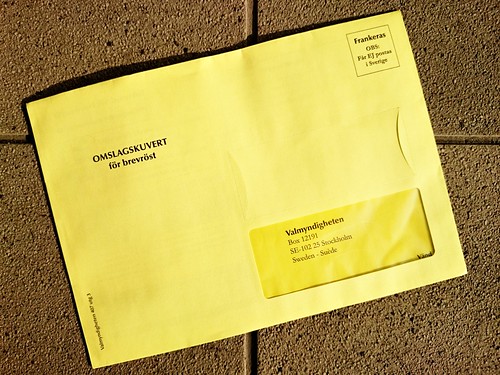
The EU Election — I've voted; will you?

It's time to vote for the EU parliament again. As I don't reside in Sweden I vote by post, and I've alredy cast my vote. What did I vote for? The Swedish Pirate Party.

Vote
I've cast my vote.

The EU parliament is a bit different from national parliaments. Most regular political questions are not decided there. Pensions, welfare, medical care, defence, immigration, schools and so on are all decided at a national level; the EU simply doesn't have much or anything to do with such things. Whatever your views on any of it, this election does not affect it.

What they do decide on tend to be big, EU-wide questions or the transnational aspects of national issues, especially when it affects the fundamental rights of EU citizens. Take movement within the union for instance, where the EU assures your right to move freely as a member, but doesn't regulate the national rules for work benefits, certifications or work eligibility limits, as long as the rules aren't discriminatory.

As your national politics don't map onto the EU level, there's little point in casting a protest vote or use it to show national party support. National parties aren't really affected by this vote, and their positions on national issues may not say a lot on their policy for different EU-wide questions. So just as it can make perfect sense to split your vote in local elections, it can make a lot of sense at the EU level as well.


So, why the Pirate Party? One of the major responsibilities of the EU are our fundamental rights as citizens and as humans. Traditionally that has included rights to speak or to publish, congregate and unionize, the right to travel, the right to privacy, and ethnic and gender equality. You could arguably add things like a level economic and legal playing field to the list as well.

But these rights are all increasingly exercised through the internet. The net is becoming the printing press, the town square, the trading market, the meeting hall, the library — and yes, both the quiet coffee-shop corner booth and shady alley, as well as the microphone in the wall, the concealed tele-lens and the secret registers and dossiers.

The future of the net is the future of our fundamental rights as individuals. And as events the past few years have shown us, that future is currently under sustained, serious attack. Safeguarding that future is far too important to leave to private companies, lobbyists and unelected security organizations. None of them have any interest in safeguarding these rights, and every reason to pervert or erase them. What use is your right to speak today if the net will refuse to carry your words?

The net is truly international, to a greater degree than any other system we've ever created. It's too big and too diffuse for any national organization to regulate or safeguard. This is exactly where a transnational body such as the EU can really make an important and long-lasting difference for the better.

And despite all missteps, they often do; just two months ago the parliament voted through a data protection reform that greatly limits how and when personal data can be collected by others. And they did it because parliament members from parties such as the Pirate Party worked long and hard to make it happen.


Which is why I choose to vote for the Pirate Party. The net is vital for our fundamental rights as citizens in the EU, and the Pirate Party is working to safeguard it. If the net is important to you too, then you may want to vote the same way.


Friday, April 25, 2014

Holiday

Yes, Golden Week is soon upon us. The time of year when Japanese workers escape the stress of work with the stress of endless traffic jams and packed trains. We're taking a few days off early to beat the crowds, so tomorrow morning we'll be on our way to Ho Chi Minh city in Vietnam. To nobody's surprise we'll mostly spend our time eating, buying foods, and walking between places to eat. We'll probably take a cooking class as well, though we don't yet know where.


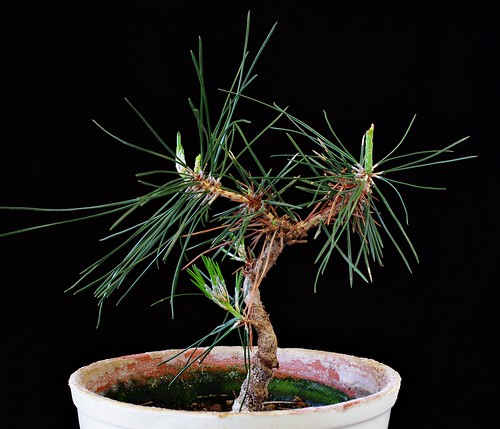
Bonsai-kun
My bonsai is alive, and possibly even healthy, one year on. I call it "bonsai" because it's a small tree, it's in a pot and it's alive; that seems to cover most definitions. From the looks of it I suspect that were it a human it would have a spinal problem, work in an ominous basement lab and say "Yeth, mathter" a lot. Anyway, it survived its first year, so now I have to figure out how to start shaping it into an actual bonsai plant.


Swiss Chard
Swiss chard is surprisingly photogenic. And it tastes very good; just separate leaves and stems, fry the stems in butter for 20 seconds, then add the leaves and fry a few seconds until they almost start to wilt. Black pepper and a dash of either soy sauce or ponzu and you're done. This, by the way, is my new desktop wallpaper.


And some recent pictures:

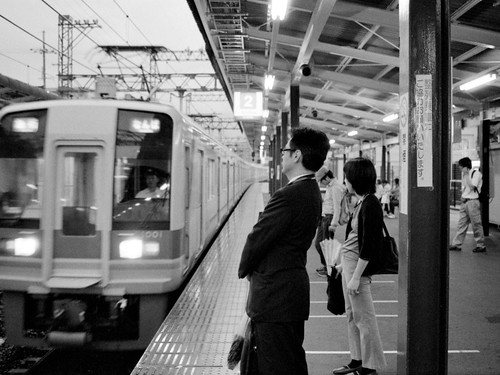
Kawachi Nagano
Kawachi Nagano station, in south Osaka. A typical small, edge-of-rural kind of station.

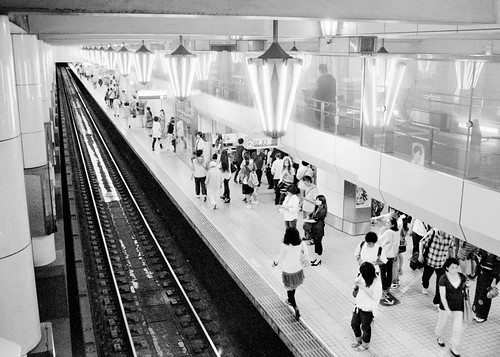
Tennnoji
Tennoji Midosuji line subway station. This, on the other hand, is one of the larger stations in central Osaka. It still has the insanely cool ceiling lights specific to the Midosuji line; unfortunately it seems they're being removed in Umeda as part of a platform renovation, and I suspect the same thing will happen on other stations along the line.

Honmachi
The elevated highway crossing in Honmachi, Osaka. I actually like this; I'm happy all that traffic up there isn't happening down on street level, and I approve in general of anything that brings us closer to the Blade Runner/William Gibson aesthetic.

Friday, April 11, 2014

Spring


Cherry Blossom Time
Cherry blossoms.


The long, chilly winter is finally over. The weather has been typical for April, with warm and sunny days alternating with cold and rain, The cherry blossom season was unusually short. Last weekend was our only chance for hanami, but the weather was mostly miserable. We gave up on a proper cherry blossom picknick this year, and just took a quick walk through Utsubo park before we escaped the weather at a nearby cafe.

Shinsaibashi
Shinsaibashi in February this year. This is what much of April has felt like.


April is a time of change for people as well. April is when you start school, graduate, start a new job, a new project and move house, and it's usually the start of the fiscal year. Budgets and research grants go from April to March, so if you need something for work you either buy it in March to use up the last of your old budget, or buy it in April when you get access to the new one.

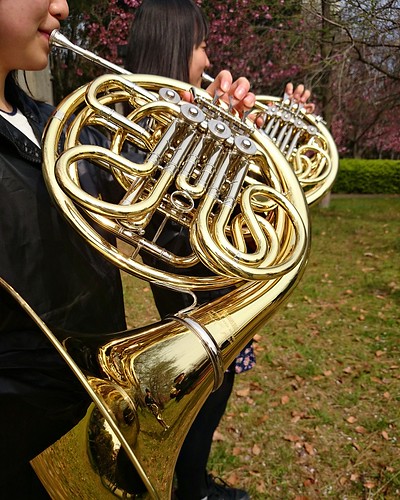
Horns
I ran into a welcoming ceremony for new high-school students in a park on Port Island in Kobe this morning. The horn section of the school band are warming up before their performance.


As I walked to work this morning, the sun was shining. It was already warm enough that I could walk in my shirt sleeves, and the trees were all glowing green with new leaves. I heard a brass band tuning up in the nearby park; a local high school were welcoming this years new students to the school. There's a hint of summer heat in the air today, not the threat of another cold wave. Today it finally felt as if the balance has shifted, and summer is coming. Change is in the air, and for now that feels good.

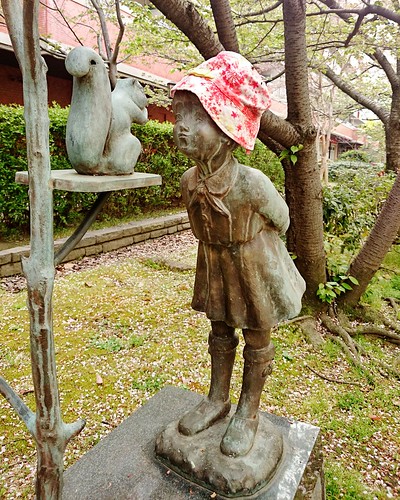
Spring Dress
A statue on Port Island is sporting a new spring hat, probably thanks to someone living in the apartment building next door.